One index across every source you connect
Discovery on its own produces a list. GEODI labels each finding, hides it from people who should not see it, and records who changed what.
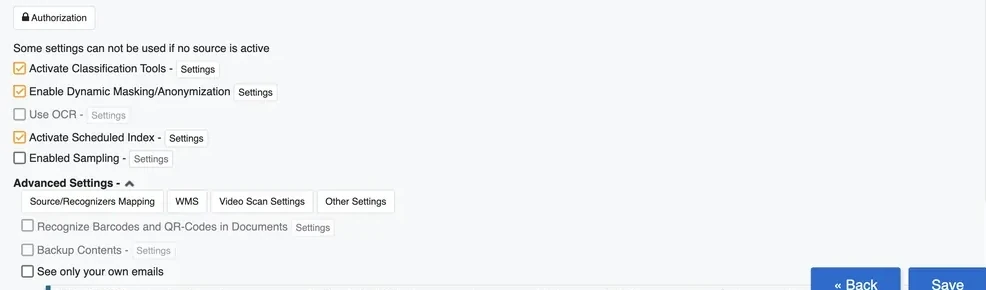
The parts that do the work
Six modules, configured out of the box and editable against your own policy.
Recognizers
Prebuilt detection for payment cards from nine networks, financial fields, currency values and national identifier formats. Extendable with your own patterns.
Classification
Four default classes, editable. Rules decide the label, and the label travels with the finding wherever it is referenced.
Dictionaries
Keyword sets for finance, IT, names and places, alongside dictionaries you build for your own internal terminology.
Masking
Applied per user group at display time. The same record reads differently depending on who opened it.
Access control
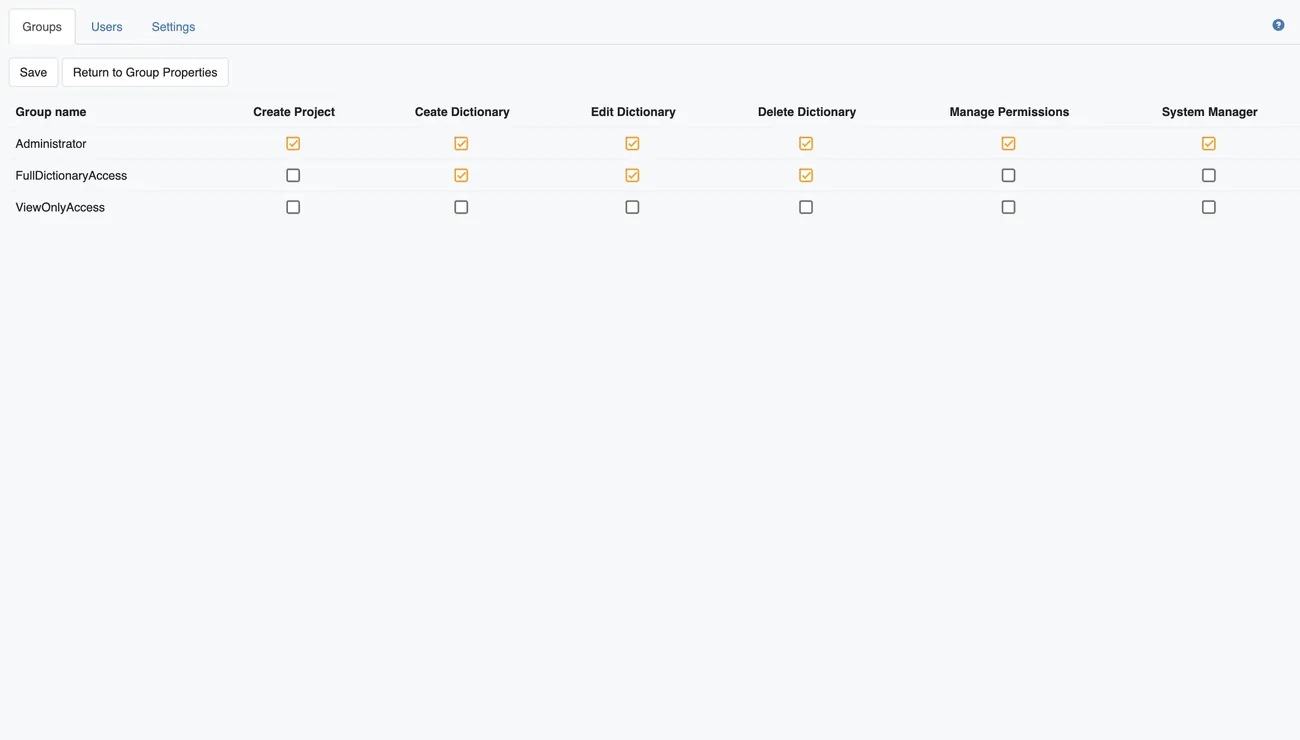
Group permissions govern project creation, dictionary edits, permission management and system administration.
Optical character recognition
Enabled per project, so scanned paper is searched the same way as native text rather than skipped.
Detection, classification and vocabulary
Three screens a technical evaluator will want to see before anything else.
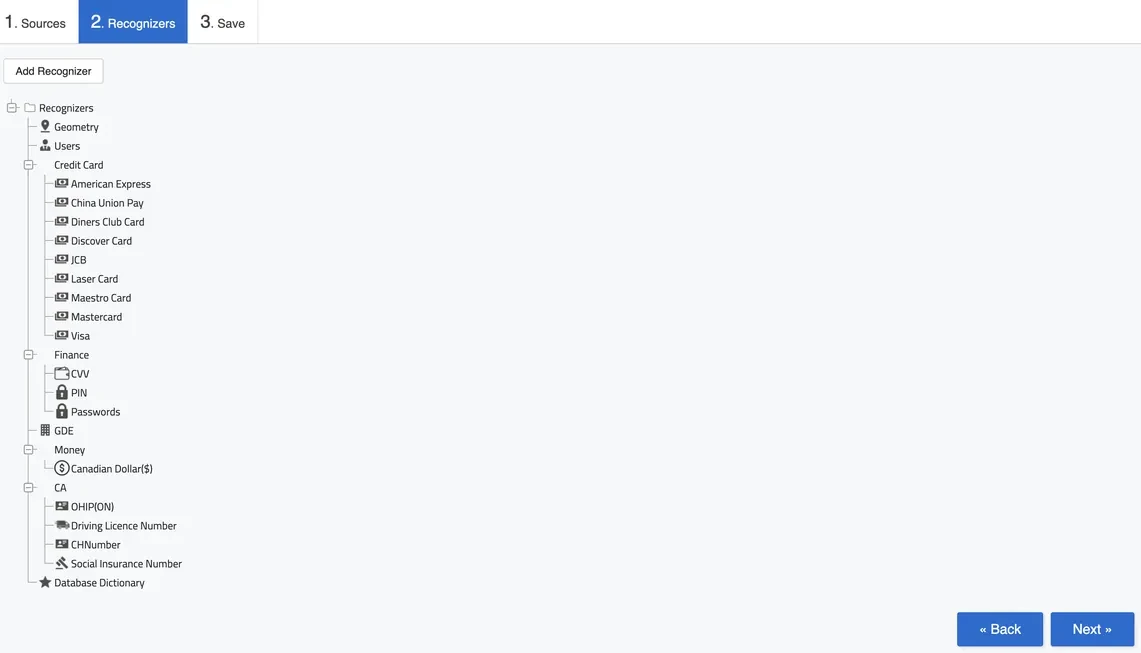
Recognizers ship with the product
Detection starts on day one rather than after a modelling exercise. The tree covers payment cards from nine networks, financial fields including CVV and PIN, currency values treated as monetary amounts, and country identifier formats across the three markets.
Anything missing is added as a new recognizer without touching the rest of the configuration.
- Card networks
- 9
- Financial fields
- CVV, PIN, stored passwords
- Identifiers
- CA / US / MX formats
- Custom patterns
- Added per project
Four classes, and you decide what they mean
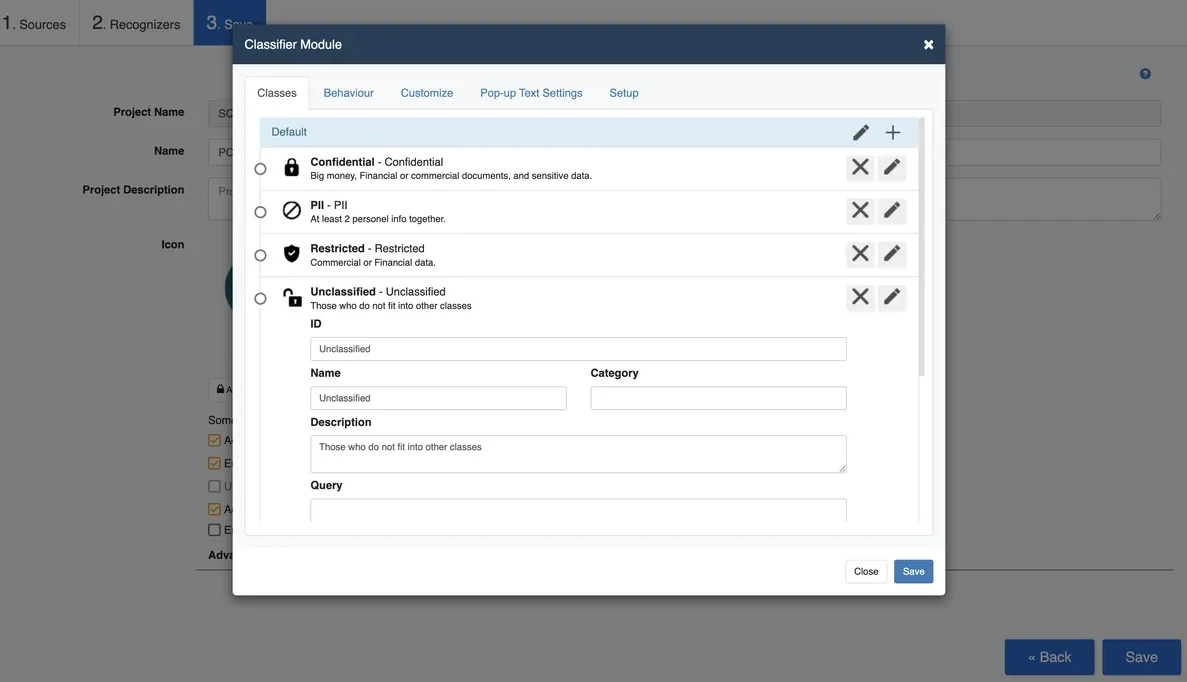
Classes arrive configured and stay editable. Each one carries an identifier, a description and a query that decides what falls into it, so a document landing in a class can be explained rather than asserted.
| Class | Applied to |
|---|---|
| Confidential | Financial or commercial documents and sensitive material |
| PII | Records carrying at least two pieces of personal information together |
| Restricted | Commercial or financial data held under tighter control |
| Unclassified | Content matching none of the above |
Dictionaries carry your vocabulary
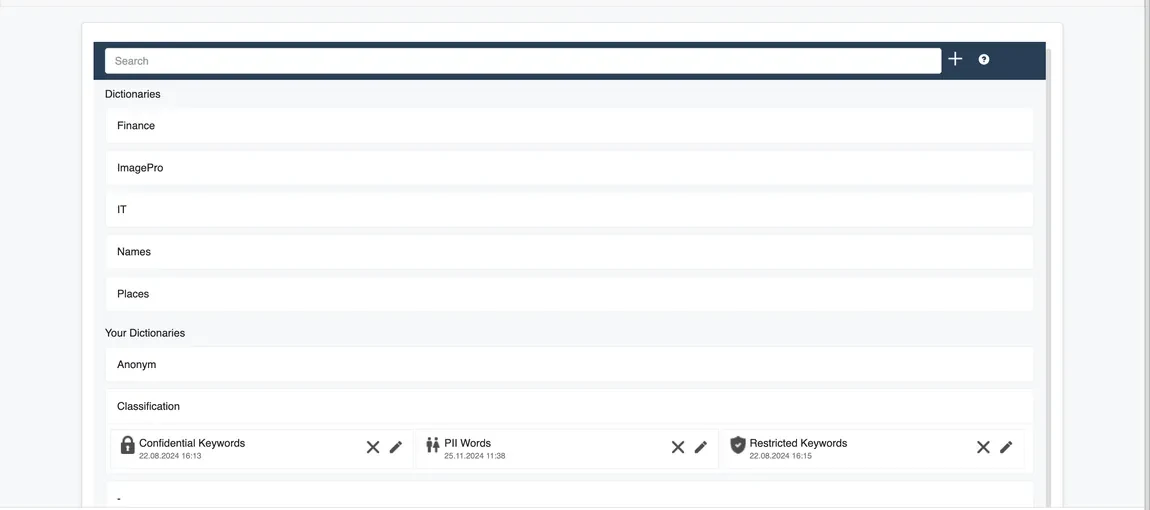
Finance, image processing, IT, names and places arrive as standard sets. Alongside them sit the dictionaries you create, including keyword lists that feed classification directly.
A term your organization uses internally is often worth more to detection than a generic pattern, which is why the dictionary layer exists separately from the recognizers.
One record, read three different ways
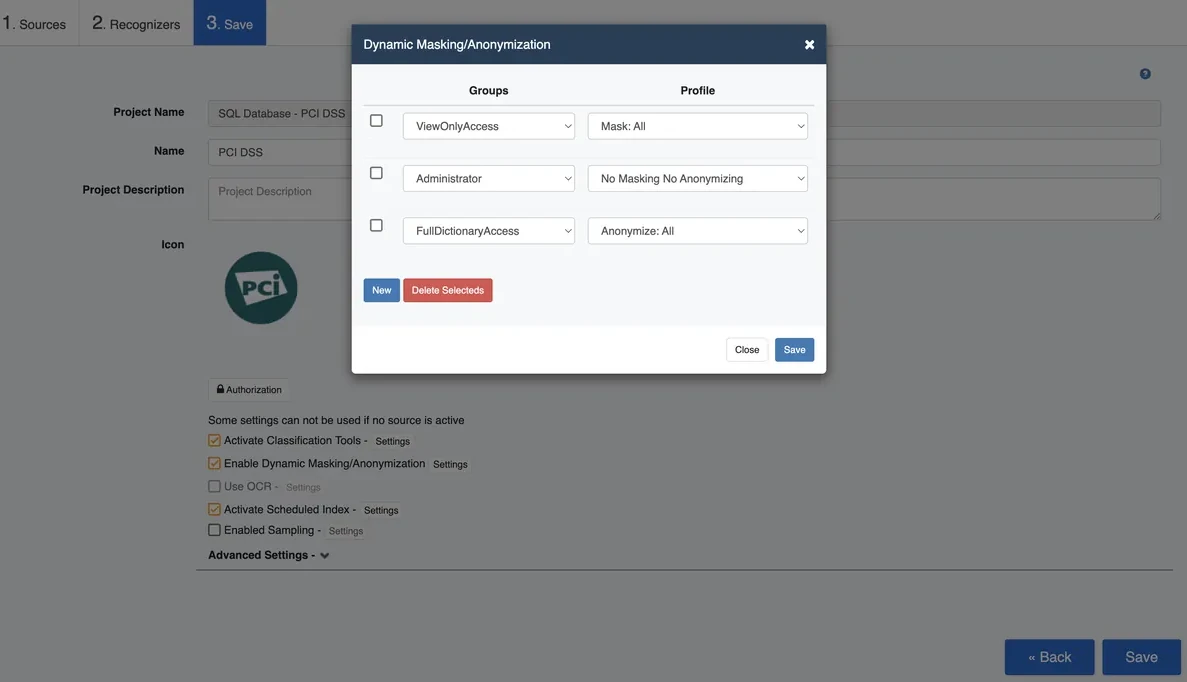
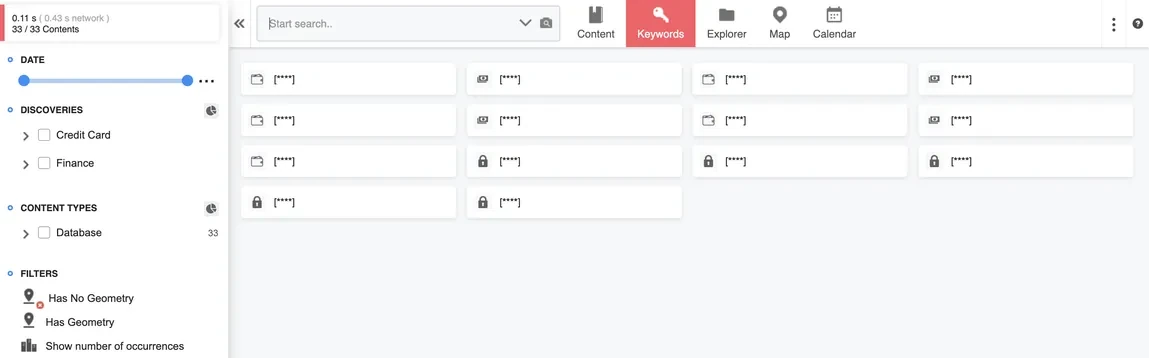
Masking binds to the group rather than the document, so an analyst can work a dataset without the original values ever rendering on their screen.
| Group | Profile applied | What appears in a result |
|---|---|---|
| Administrator | No masking | Original values, exactly as stored at the source |
| ViewOnlyAccess | Mask All | Every discovered value replaced by a placeholder |
| FullDictionaryAccess | Anonymize All | Realistic substitutes, format preserved for testing |
Permissions are enforced as a grid
Groups map to rights across project creation, dictionary work, permission management and system administration. Read-only stays genuinely read-only, so a group without edit rights cannot reach an edit path through a side door.
- Indexing
- Read only
- Classification
- Read only
- Masking
- Applied at display time
- Remediation
- Separate switch, enabled per source
- Credentials
- Yours, scoped and revocable
What a discovery-only tool leaves you with
How does it decide what is sensitive
Prebuilt recognizers detect payment cards, financial fields, currency values and regional identifiers such as health numbers and social insurance numbers. Dictionaries add keyword matching, and classification rules assign each finding to a class you control.
Can we add our own identifier format
Yes. A new recognizer is added per project without touching the rest of the configuration, which matters when a customer uses an internal account number format nobody else would detect.
What can users see once content is classified
That depends on their group. Masking and anonymization profiles are bound to user groups, so the same record shows full values to one group, masked values to another, and realistic substitutes to a third.
Does classification run again when a file changes
Indexing can be scheduled per project, so changed content is picked up on the next run and reclassified against the rules in force at that point.
Deployment and integrations
Three deployment models, more than 200 source adapters, and the read-only access model behind a scan.
Compliance mapping
Ten regulations across Canada, the United States and Mexico, mapped against what the product performs.
Trust and security
What a scan reads, what it never writes, where each operation runs, and which credentials it acts under.
Point it at one system and judge the output
Forty minutes against a source you nominate, with discovery running live rather than a recorded walkthrough.